 JR DevTools
What's new in JR DevTools 1.3
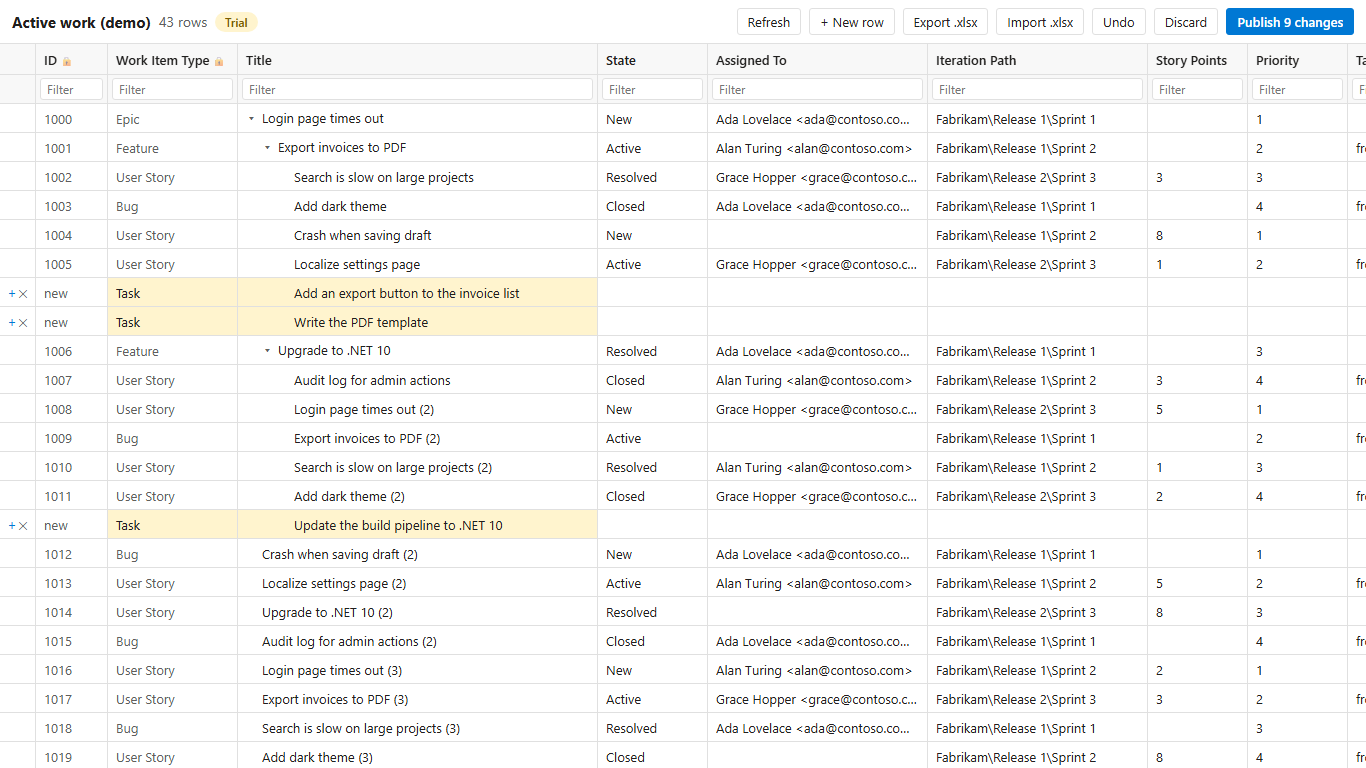
October 2026. Both extensions have a new release. Merge Conflict Resolver can bring a pull request's branch up to date, resolve the easy conflicts for you and warn about broken files. Bulk Editor now selects and fills like Excel, shows rollups in the tree, edits test case steps and works across projects. The extensions update automatically from the Marketplace, so there is nothing to install if you already have them.
Merge Conflict Resolver 1.3
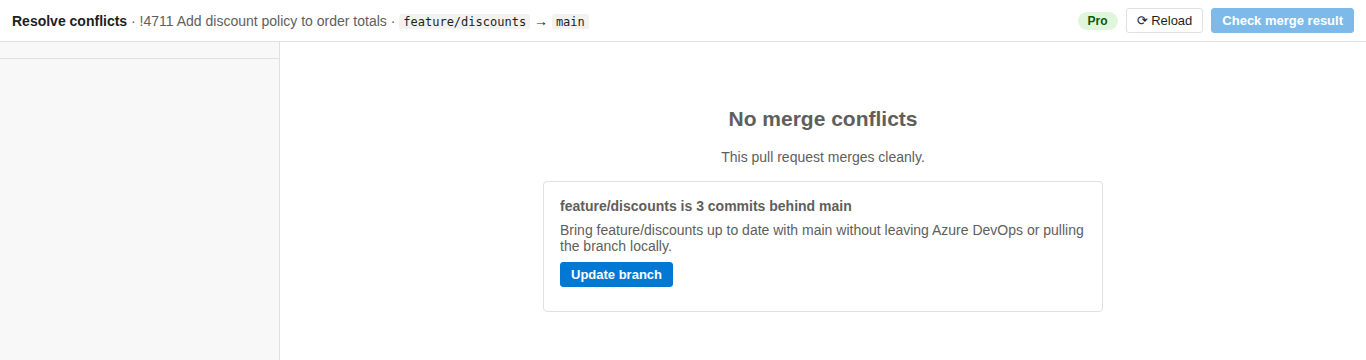
Update branch (Pro)
Azure DevOps has no Update branch button. When a pull request has no conflicts but its source branch is behind the target, the Resolve conflicts tab now shows how far behind it is and brings the source branch up to date with the target in one click. It is a fast-forward, never a history rewrite. Read the guide.
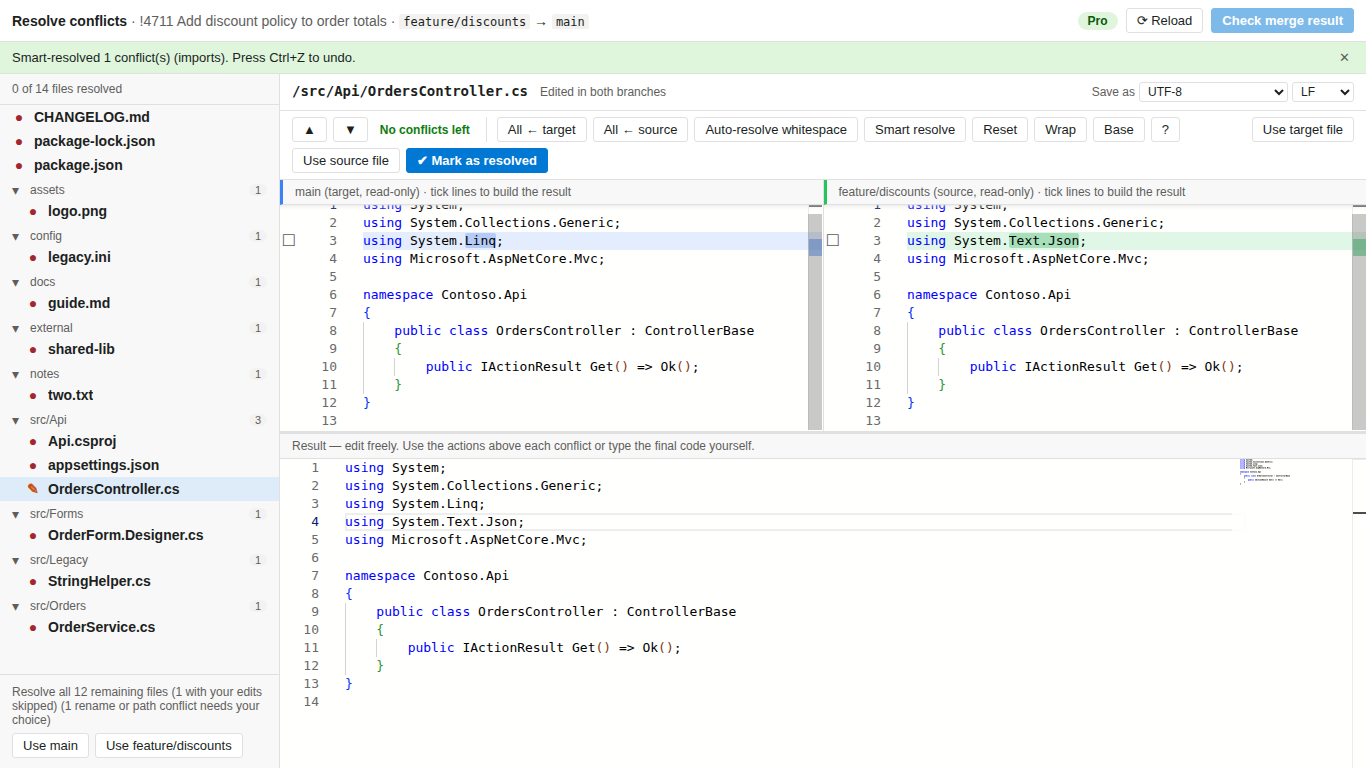
Smart resolve (Pro)
One click merges what both sides added to the same place: new imports, package references and changelog entries. Anything it isn't sure about stays a conflict for you. There is no AI involved, and nothing leaves the browser. See Merge Conflict Resolver.
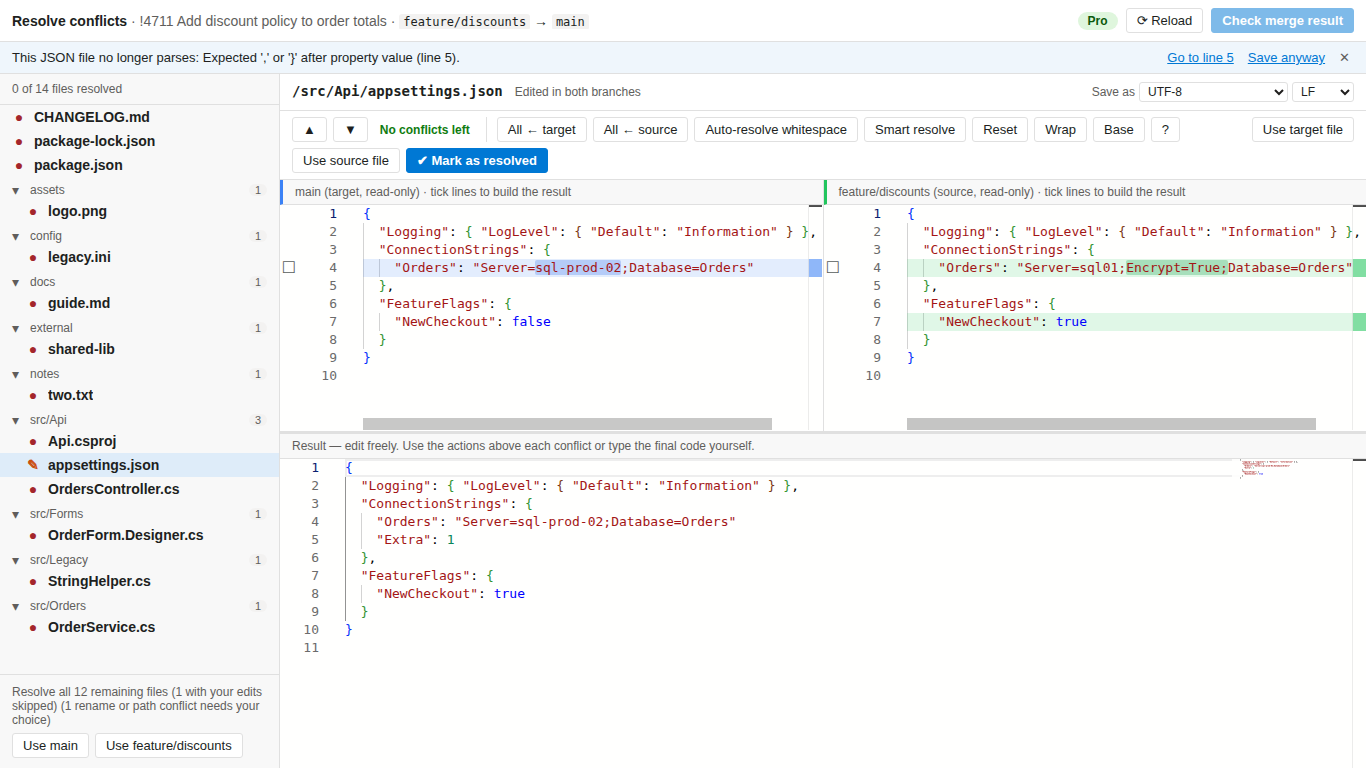
Catches broken files (all plans)
Before you save, a JSON, XML (such as a csproj) or YAML result that no longer parses gets a warning, so a stray bracket doesn't break the build. See Merge Conflict Resolver.
Bulk Editor 1.3
Select like in Excel (free)
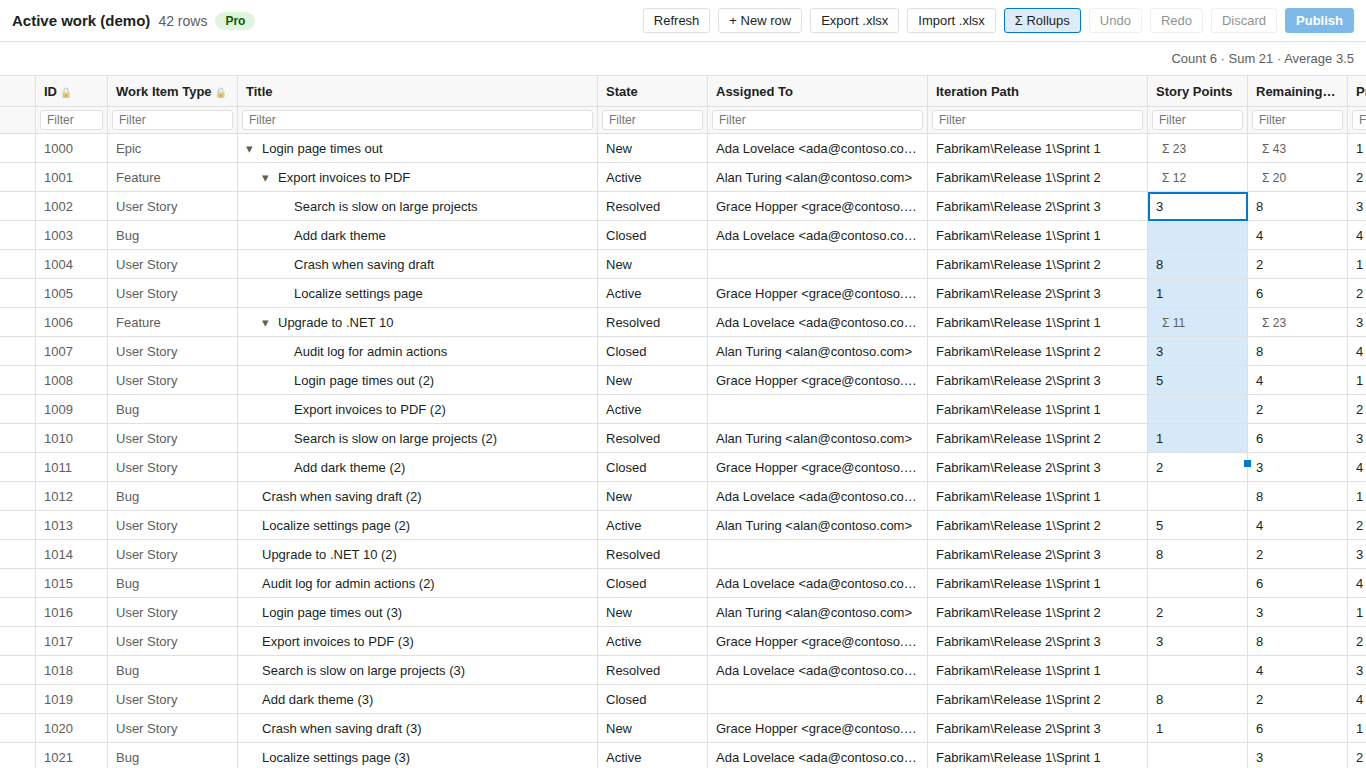
Select a block of cells with Shift+arrows or by dragging, select everything with Ctrl+A, and fill down with Ctrl+D or the fill handle. The status line shows the count, sum and average of the selection. See Bulk Editor.
Rollups (free)
In a tree query, parents show a muted Σ with the sum of Story Points, Remaining Work, Effort, Original Estimate, Completed Work or Size of all their children, live while you edit. See how to see the sum of Story Points of child work items.
Test case steps
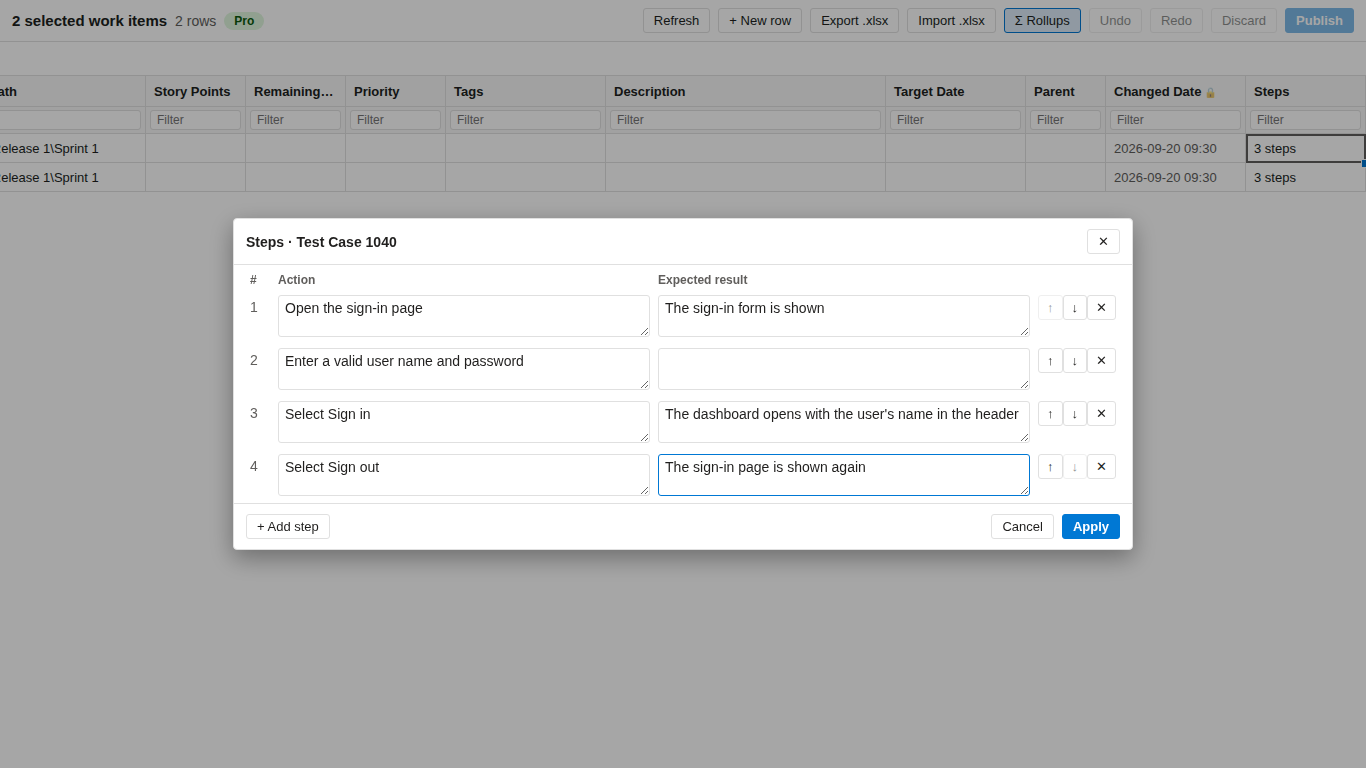
Test Case rows get a Steps column with a panel to edit the steps. Export to .xlsx gives one row per step, and the import reads it back. Editing and import are Pro; reading and export are free. See how to bulk edit test case steps.
Queries across projects
A query that spans several projects opens in one grid. Rules, allowed values and area and iteration paths are checked per project, and each row is published to its own project. See Bulk Editor.
Install Merge Conflict Resolver Install Bulk Editor
More details
Every change, including small fixes, is in the release notes: Merge Conflict Resolver and Bulk Editor.